Your homelab lives in your notch.
Node health, pod status, GPU load, memory pressure — glanceable in the notch, without a browser tab or a terminal. CortexNotch ships with a full private AI stack you run on your own hardware: a real Kubernetes cluster, your own LLM, your own voice.
One-time purchase. No subscription. 30-day money-back guarantee. Tax added at checkout.

Three parts. One machine. All yours.
A notch HUD, a real cluster, and a private LLM — running together, entirely on hardware you already own.
CortexNotch
A pitch-black liquid-glass HUD that turns dead space into a command center — live CPU, GPU, RAM and battery rings, a 60-second system pulse, and iMessage you can quick-reply to without leaving what you're doing. Glance at now-playing, tap to talk to Jarvis. Always there, never in the way.
Local Cluster
CortexNotch spins up an actual k3d Kubernetes cluster on your laptop and keeps it GitOps-managed with Flux, the same way production clusters run. Every node, every pod, every sync — visible at a glance, running entirely on hardware you already own.
Private Jarvis
Jarvis is a local large language model running on Ollama, with a neural British voice and on-device speech recognition — no API keys, no rate limits, no phoning home. Ask it about your machine, your cluster, your day, and it answers with your real, live state because it's actually watching.
Four tabs. One glance.
Your cluster, your Mac, your messages, your music — live in the notch, in liquid glass.
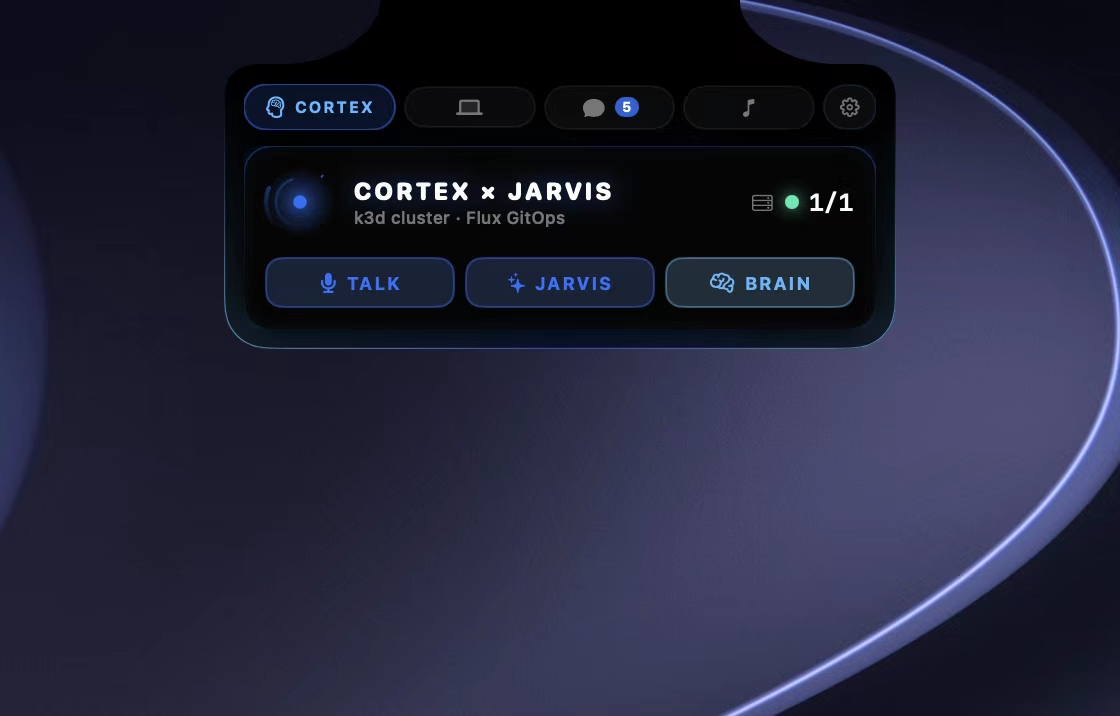
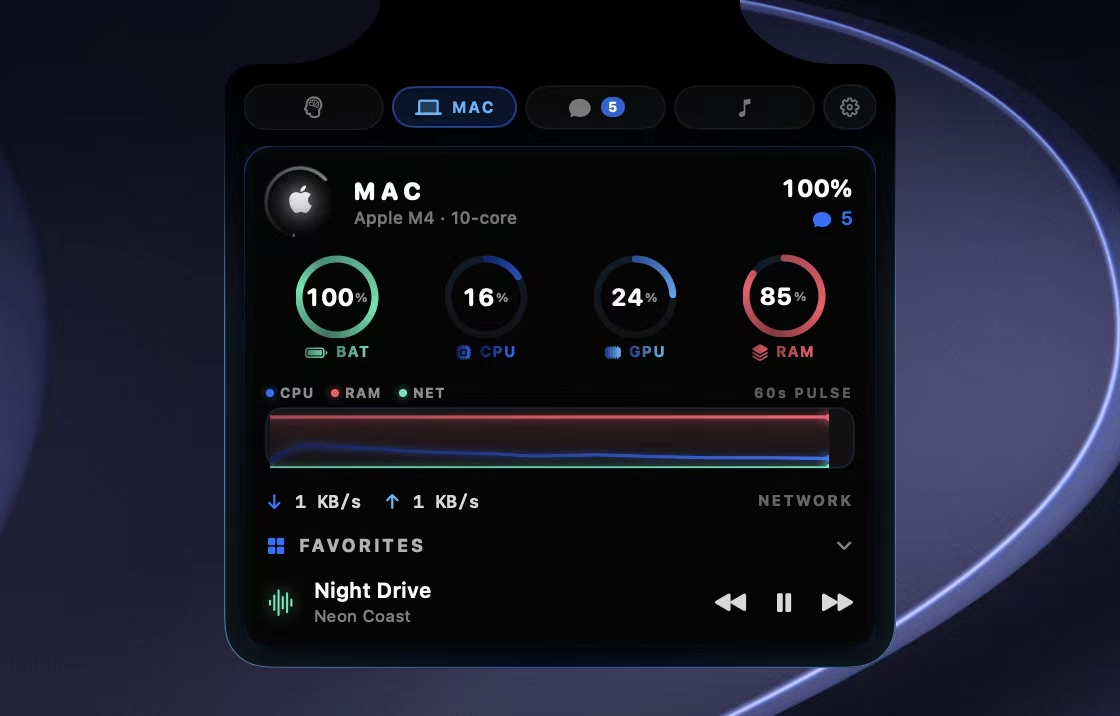
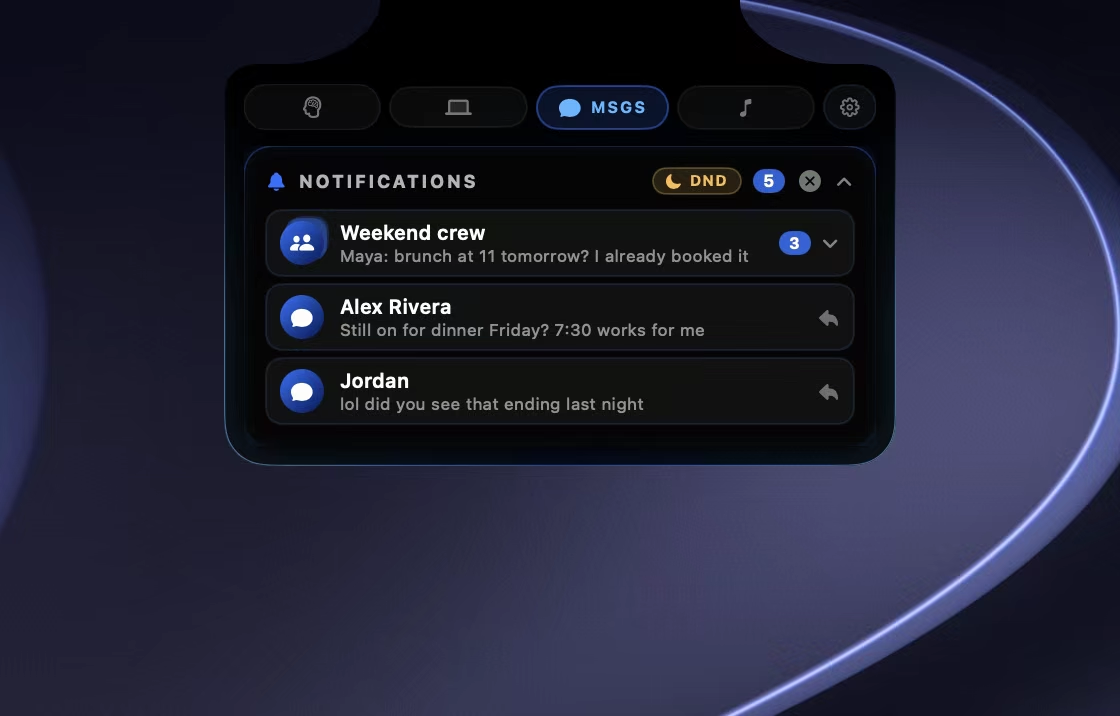
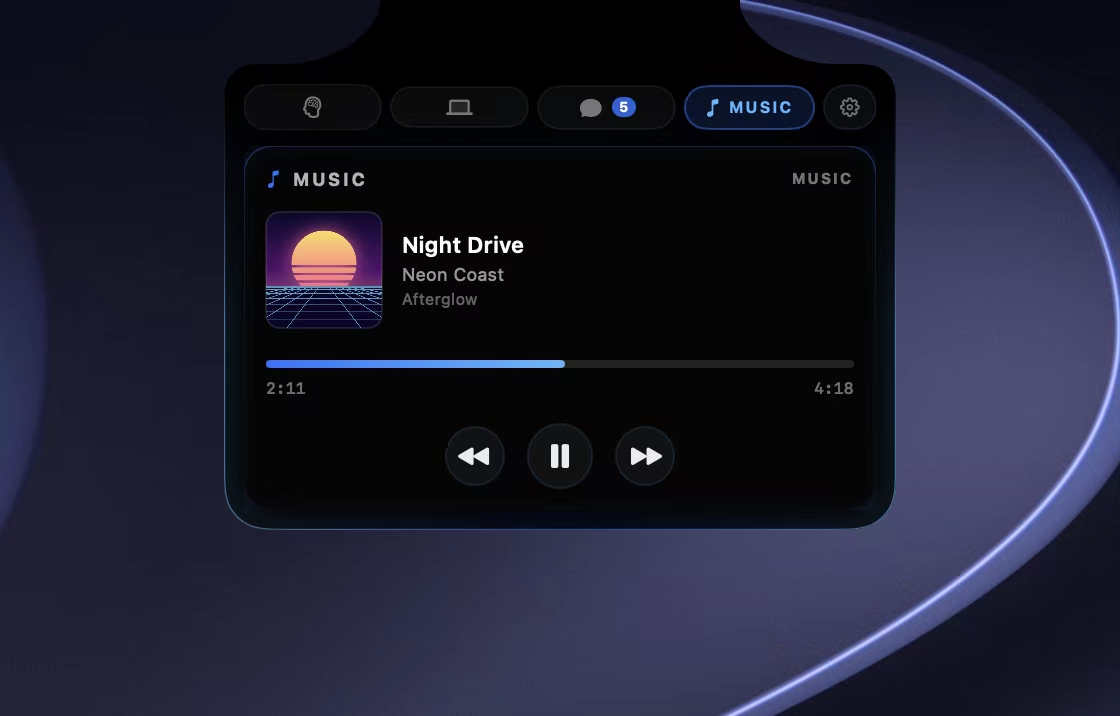
A full private AI cluster, on one Mac.
Docker hosts a real k3d Kubernetes cluster. Flux keeps it in sync from Git. Ollama, cortex-api, Kokoro, Whisper and more feed your notch — all local.
From zero to your own AI in one command.
No cloud console, no account, no waiting. Install once and the whole stack builds itself on your machine.
Install
One command turns your MacBook into a CortexNotch node.
Cluster spins up
k3d builds a real Kubernetes cluster locally while Flux syncs your GitOps state automatically.
Jarvis comes online
Ollama loads your model and Kokoro TTS gives it a neural voice, all running on-device.
The notch connects
CortexNotch lights up in black and cobalt, live and ready — you're talking to your own AI.
Everything, right where your eyes already are.
The notch stops being dead space and becomes the most useful strip of pixels on your Mac — closed or open.
Quiet until it matters.
Closed, CortexNotch is a slim strip around the notch: your cluster’s health on one side, a living core on the other. Hover and the panel drops out of the notch with your messages, Mac, music and cluster, and the menu bar stays clear. Move away and it’s gone.
- Nodes ready at a glance, with a live status dot
- Status glow turns amber when the cluster needs you
- Opens on hover, closes the moment you move away

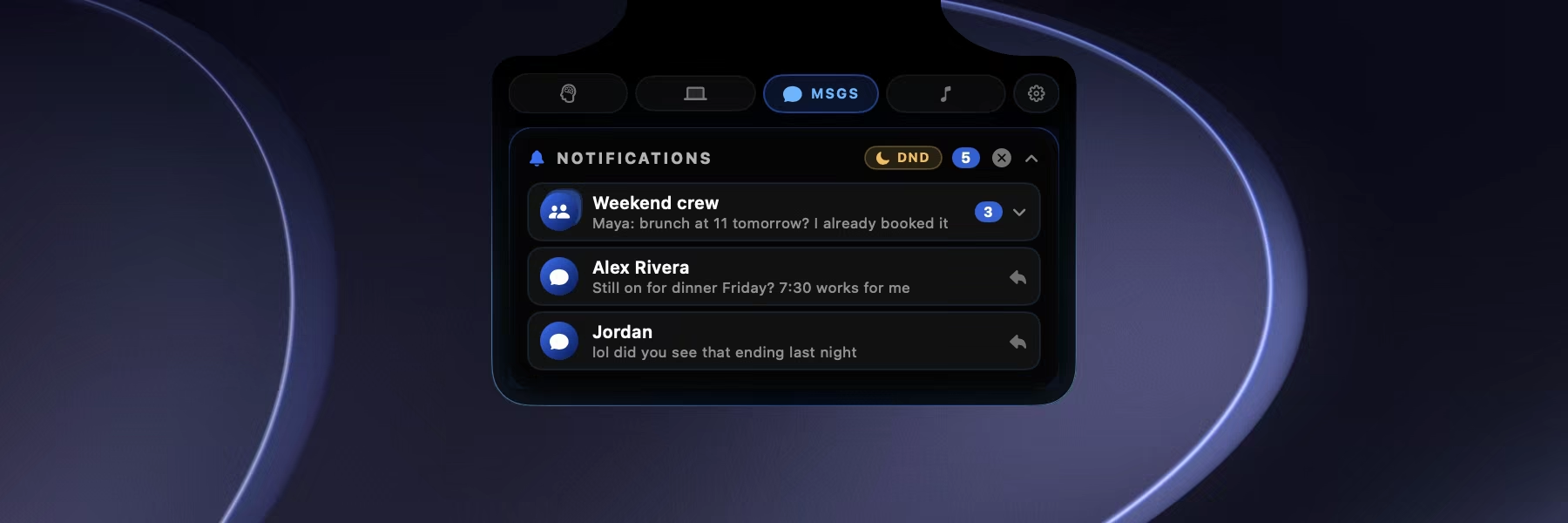
Messages slide out of the notch.
New iMessages appear as a banner under the notch for a few seconds — who it’s from and what they said, or just who if you’d rather keep it private. Click it to jump straight to the chat.
- Read threads and reply inline from the Messages tab
- Group chats stacked into one conversation
- Stays silent during Focus and Do Not Disturb

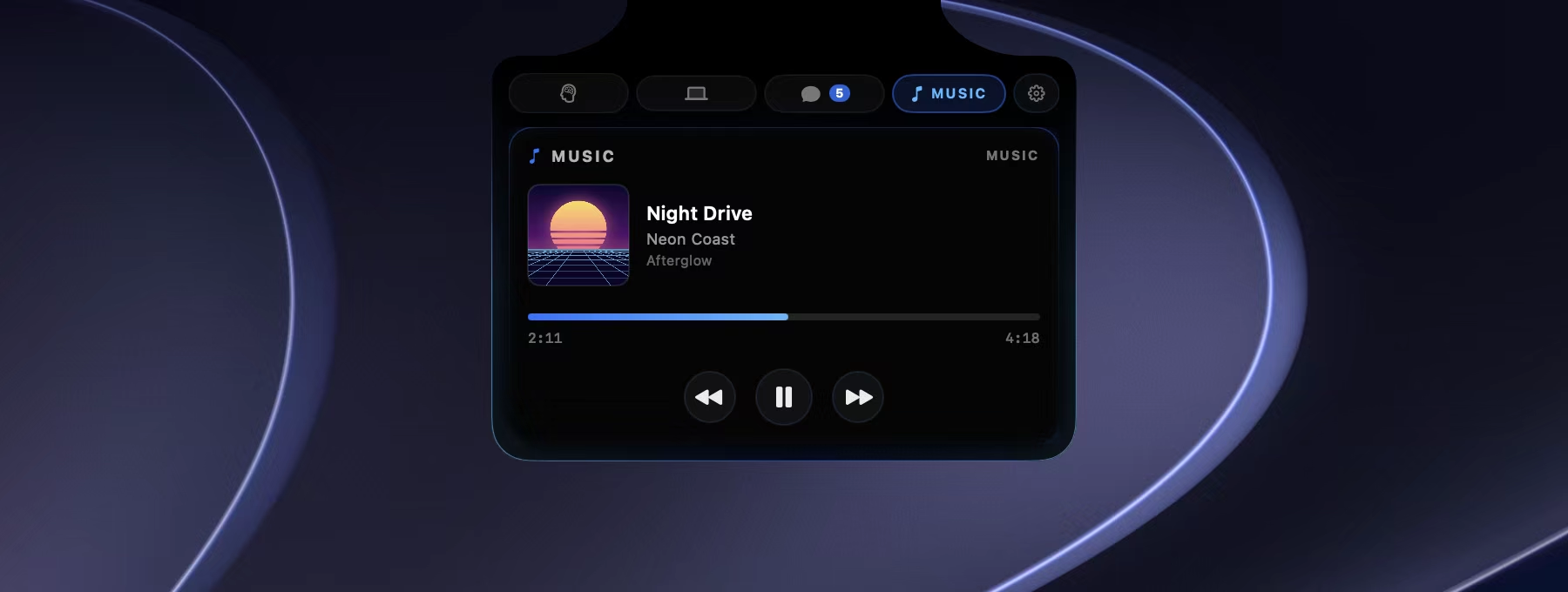
Your music, out of the way.
When a song starts, its album art takes the corner of the notch and the track pops out for five seconds, then tucks itself away. Hover the art to see it again, or click it to open the Music tab.
- Drag the progress bar to scrub back and forth
- Click the album art to open that album in Apple Music or Spotify
- Play, pause and skip without leaving what you’re doing
A glow that moves with the music.
Open the notch while something’s playing and its outline swells softly with the beat — calm, not a light show. It listens only while the notch is open and music is on, and nothing is ever recorded.
- Follows the glow colour you picked
- Eases out when you pause, back in when you play
- One switch in Settings turns it off
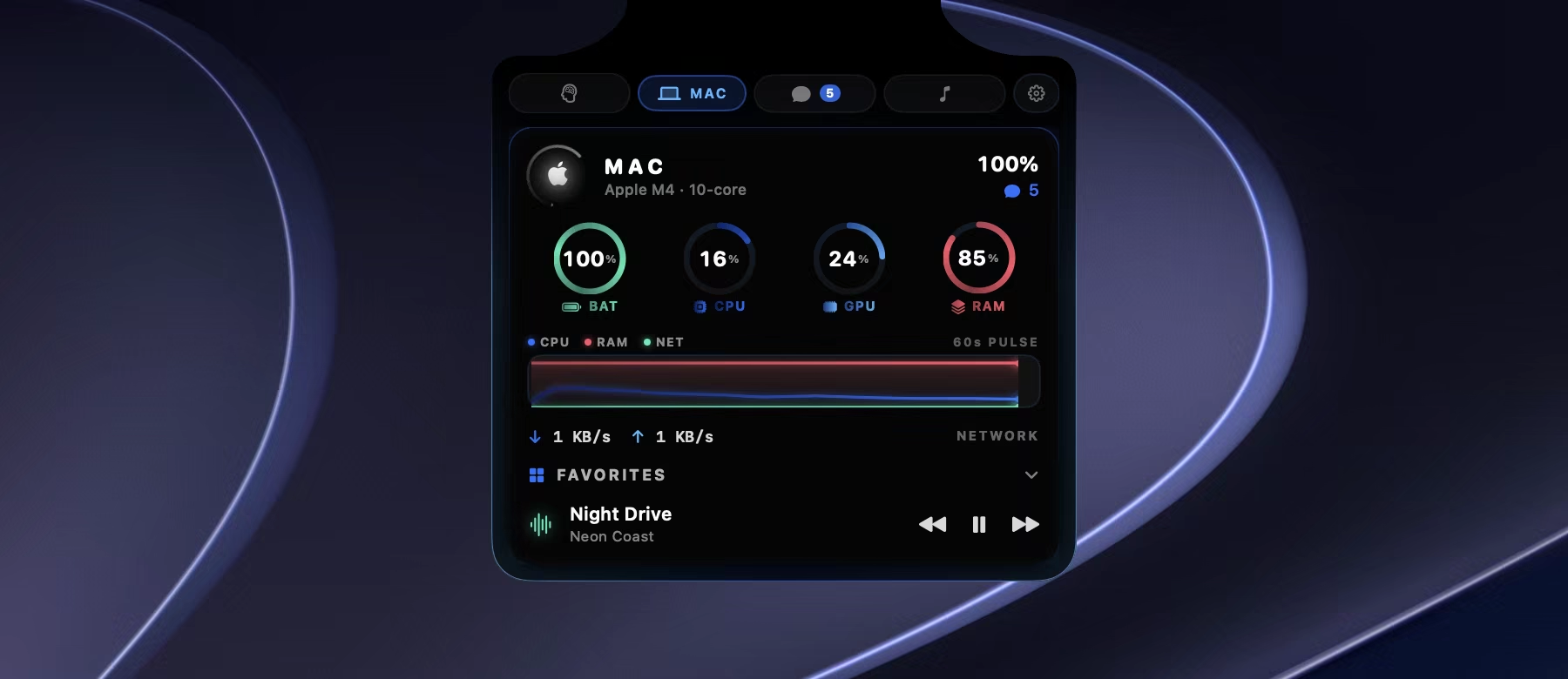
Every vital, live.
Battery, CPU, GPU and memory rings above a rolling 60-second pulse of CPU, memory and network — so you know why the fans just spun up before you’ve opened Activity Monitor.
- Upload and download speeds, updated every second
- Your favourite apps one click away
- A mini player for whatever’s on

Your cluster and your AI, one tap away.
The Cortex tab shows your Kubernetes cluster at a glance. Hold Talk and ask Jarvis anything — answered by your own local model and spoken back in a neural voice, without a single request leaving your machine.
- Cluster health and GitOps status at a glance
- Jarvis and your notes vault one click away
- Runs on hardware you already own
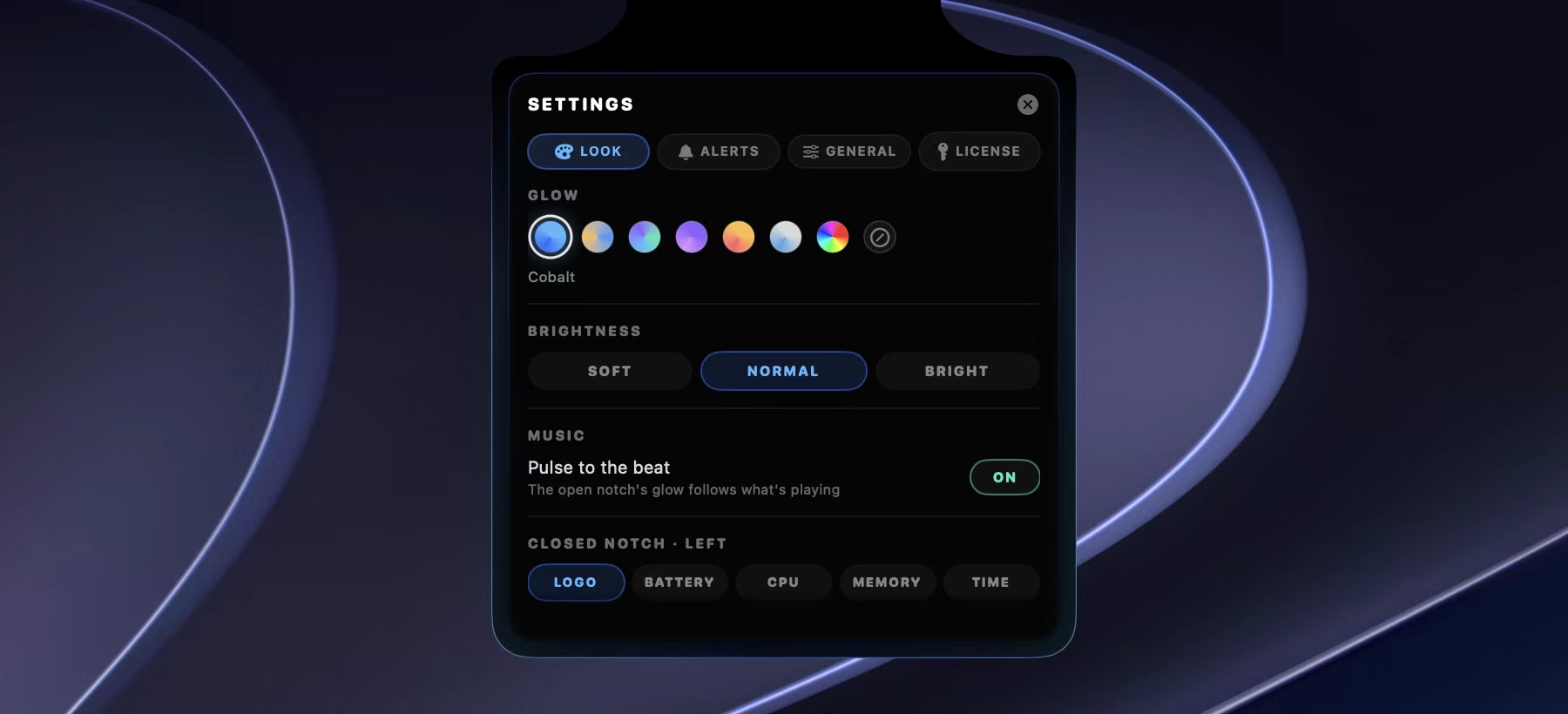
Tuned to how you work.
Six glow palettes or any colour you pick, three brightness levels, and switches for banners, message text, sounds and now playing. CortexNotch is hidden from screenshots and screen sharing unless you say otherwise.
- Hide message text and show only who it’s from
- Mute alerts from the notch with one tap
- Starts at login, like a built-in part of macOS
The best cloud is the one that doesn't exist.
Actually private
Your conversations, files and system data never leave your laptop, ever.
No subscription, no cloud bill
You already own the hardware; CortexNotch just puts it to work.
Works with no internet at all
On a plane, off the grid, doesn't matter. Jarvis doesn't need a connection to think.
You own the whole stack
The cluster, the model, the voice, the data. No vendor, no lock-in, no fine print.
What it asks for, and why.
CortexNotch asks for real permissions. Here is exactly what each one does, and exactly what it does not.
| Permission | Enables | Never used for |
|---|---|---|
| Full Disk Access | Reading sender and preview line from your local Messages database, and reading macOS Focus state so alerts respect Do Not Disturb. | Reading message bodies beyond the preview. Nothing is transmitted. There is no server to transmit to. |
| Microphone & Speech | Push-to-talk. Transcription runs on-device via Apple's Speech framework. | Background listening. The mic opens only while you hold the TALK button. |
| Automation | Reading now-playing track info from Spotify and Music. | Anything outside those two apps. |
Verify it yourself
Run Little Snitch. CortexNotch makes exactly one outbound connection — the license check, once, at activation. Everything else is loopback to your own cluster.
Nothing is requested up front
The app runs without any of these. Each permission is requested only when you turn on the feature that needs it, with an explanation.
No analytics. None.
No telemetry SDK, no crash reporter, no usage pings. There is nothing to opt out of.
Built by a person, not an anonymous LLC
Not yet notarized by Apple, so the first launch shows a Gatekeeper warning — the install steps walk you through it, and the SHA-256 of every build is published so you can check what you downloaded. If this app is ever sold, that will be announced before it happens.
There are free notch apps. Use them.
If you want media controls and a file shelf in your notch, The Boring Notch is free, open source and good. We are not trying to beat it at that. CortexNotch is for a different job.
| Capability | Free notch apps | CortexNotch |
|---|---|---|
| Media controls, battery | Yes | Yes |
| Price | Free | $35 once |
| Live Kubernetes node & pod status | No | Yes |
| Cluster-degraded alerts in the notch | No | Yes |
| Ships a full private AI stack | No | Yes |
| Voice assistant grounded in real host metrics | No | Yes |
If none of the bottom four rows matter to you, save your money and go get a free one. Genuinely.
One price. No subscription. Ever.
You already pay for the hardware. You shouldn't rent the software that runs on it.
- ✓The notch HUD — cluster vitals, system vitals, messages, music
- ✓The Cortex Stack — k3d cluster, Flux GitOps, Ollama, Open WebUI, Whisper, Kokoro, SearXNG
- ✓Jarvis — push-to-talk voice against your own local model
- ✓Use on 2 Macs
- ✓All 1.x updates included
- ✓30-day money-back guarantee, no questions
30 days to change your mind. One email and you get your money back.
Payment is handled by Stripe, which acts as merchant of record and appears on your statement. See the terms, privacy policy and refund policy.
Questions, answered.
Does CortexNotch need an internet connection?
No. Once installed, your cluster and Jarvis run entirely offline — internet is only needed to pull the initial install and models.
Is my data actually private?
Yes. Nothing — not your messages, not your prompts, not your system data — ever leaves your laptop. There's no cloud component to phone home to.
What Mac do I need?
Any Apple Silicon MacBook with a notch, running macOS 14 Sonoma or later, with enough memory to comfortably run a local LLM (16GB RAM or more recommended).
What LLM powers Jarvis?
Jarvis runs on Ollama, so you can use any compatible open model — CortexNotch ships with a sensible default out of the box.
Can I bring my own model?
Yes. Swap in any Ollama-compatible model and Jarvis will use it immediately — no cloud account, no approval, no waiting.
Is it really a real Kubernetes cluster?
Completely. It's k3d (k3s in Docker), GitOps-managed by Flux — the same patterns production clusters run, just on your laptop.
Can I point it at a cluster I already run?
Yes. The notch reads any cluster your kubeconfig can reach — the Cortex Stack template, a private GitHub repo you are invited to after purchase, is a starting point, not a requirement. If you already have a homelab, point it there and skip the install.
Why pay when there are free notch apps?
If you only want media controls and a file shelf, don't — The Boring Notch is free and good, and we say so on this page. Pay for CortexNotch if you want cluster status and a private AI stack in the same surface.
How many Macs can I use it on?
Two, on one license. If you need more, email support@cortexnotch.com and we'll sort it out.
What's the refund policy?
30 days, no questions asked, no form to fill in. Email support@cortexnotch.com and it's done. Refunds go back to your original payment method through Stripe, our merchant of record, and the license key is deactivated. Full details are in the refund policy.
Is $35 forever, or will there be a v2 upgrade fee?
$35 covers every 1.x release. If there's ever a paid 2.0, it'll be a discounted upgrade, and anyone who bought within three months of its release gets it free. No subscription, now or later.
Why does it need Full Disk Access?
Because macOS offers no narrower permission for reading the Messages database or Focus state, and there's no API to prompt for it — you grant it yourself in System Settings. Full detail is in the permissions table. Skip the Messages widget and you never need it.
Stop renting your AI. Start owning it.
Your own cluster, your own model, your own voice — running entirely on the Mac in front of you.